Showing posts with label ROOT. Show all posts

Tuesday, 4 June 2013

Solid Explorer +Unlocker 1.4.5 update

Solid Explorer Unlocker


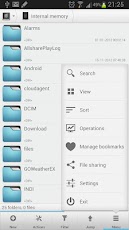
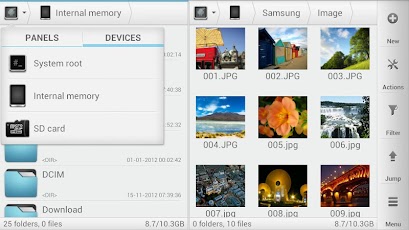
Solid Explorer is a file manager with two independent panels which brings to you a new file browsing experience. This is the most attractive, eye catching and intuitive file manager for the Android.

Main features:
1. Two independent panels for browsing
2. Drag and Drop inside and between panels
3. FTP, SFTP and SMB/CIFS clients
4. File sharing via FTP
5. Support for ZIP, TAR.GZ, TAR.BZ2 and RAR archives
6. Creating ZIP and TAR archives
7. Dropbox, Box, SkyDrive, GoogleDrive (more soon)
8. Bookmarks
9. Root access
10. Indexed search
11. Detailed file and directory information


or


Saturday, 1 June 2013

Chainfire3D Pro v3.3

Chainfire3D Pro v3.3


Chainfire3D is an intermediary OpenGL driver. What does that mean? It means that Chainfire3D sits between your apps and the graphics drivers, and can intercept and/or change commands between the two. It has some built-in functions, and can be further extended with plugins to provide extra functionality.


Features

- CF3D OpenGL driver


- NightMode

--- Handy shortcut to toggle on/off

--- Supports red, green, blue, amber, salmon and custom (pro only) modes


- Global OpenGL manipulation

--- Reduce texture size

--- Reduce texture quality

--- Unroll textures

--- BGRA emulation

--- Load plugins

--- Replace shaders

--- (Pro) Disable Chainfire3D detection

--- (Pro) Dump all shaders

--- (Pro) Force depth buffer size (EGL)

--- (Pro) Force MSAA (MultiSample Anti-Aliasing) (EGL)


- (Pro) OpenGL manipulation on a per-app bases

- (Pro) Fix market settings

- (Pro) Manage installed plugins and shaders

- (Pro) Backup and restore settings, plugins and shaders


A bit more detail about some features


NightMode

NightMode reduces the number of colors on your screen, which on OLED screens saves a lot of battery. The various modes (especially red) are also great in low-light conditions, as they have less effect on your night-vision than a full-color screen


Generic note about textures

The features below are only used if a texture format is supported. Natively Chainfire3D only supports raw textures, but these can be extended through plugins.


Reduce texture size

This essentially cuts (supported) textures' resolution in half, which usually reduces memory use (4x) and improves performance, at the cost of slightly reducing texture quality. This is not compatible with all apps! For many 3D apps, this works, as the GPU stretches the graphics, but it does not work for many 2D apps.


Reduce texture quality

This converts 32-bit textures to 16-bit textures, reducing memory use (2x). This will lower texture quality, but for many games the difference isn't even visible. Whether this is actually faster or slower depends on your hardware.


Unroll textures

Converts non-32-bit textures to 32-bit. This should not influence texture quality, but it does use more memory. On some hardware this is faster than using 16-bit textures.


Disable BGRA emulation

Some GPU's do not support BGRA - in this case, Chainfire3D emulates BGRA support. Developers may not expect this (i.e., hardcode features for a specific GPU) and it may cause issues. If red and blue appear swapped in-app or in-game, enable this feature, and see if it helps.


Disable Chainfire3D detection

For compatibility reasons, Chainfire3D announces to applications that it is being used. Using this feature you can turn that off.


Depth buffer (per-app only)

Some apps expect a certain depth buffer size. Without setting this, they may not run (at all). This feature should only be used if an app specifically requires it - there is a good chance apps will NOT run if you change this setting the wrong way.


MSAA (MultiSample Anti-Aliasing) (per-app only)

Enabling MSAA drastically improves image quality at the cost of performance. Lines/edges become much smoother. Available options are automatic (the app decides), 4x, and 16x. Most apps don't enable MSAA themselves at all. The ARM Mali 400 MP (used in the SGS2) can even do 4xMSAA at no performance cost. Note that if your GPU does not support the level of MSAA requested, the app will likely not start at all.


Fix market settings

Plugins may add support for various features not normally supported by your hardware. Market, however, only reports the functionality your hardware provides. Using this feature, Chainfire3D will adjust Market so it also shows apps that require the features provided by the plugins. This is not useful without the plugins


Backup and restore settings

Backup and restore all app settings, plugins, shaders, etc to/from your SD card


Plugins / API

At the moment, the Plugin API is rather limited, but it does allow for some rather interesting plugins like Tegra2 / PowerVR / ATI texture emulation (see the API docs a post below). The idea is to further improve Chainfire3D so Plugins can manipulate the entire OpenGL data stream.


Shaders

From version v1.9, you can replace app's shaders with your own modified versions. See a few posts down for further details.


Pro version

As outlined above, the Pro version adds a little bit of functionality. Purchasing it will support my efforts.


Pro version - warez

Chainfire3D Pro is available from some warez sites, if you feel like ripping me off However I should warn you that none of those versions actually work as the real Pro version does.


Requirements

- OpenGL ES 2.0 (every 1ghz+ phone has this)

- SuperUser / Root

- Writable /system (it will try to remount system as read/write when needed, but the changes need to stick between reboots)

- S-OFF ?

- Having root access from recovery is a big plus to solve problems if you run into them (run "/system/lib/cf3d_uninstall.sh" as root to remove the driver and restore the old one)


Plugin installation

Plugins are .so files called libGLEMU_xxxxx.so . They should be wrapped in a libGLEMU_xxxxx.zip file. Simply put this zip file on your /sdcard, and use the "Install Plugin" option in Chainfire3D.


------------------------------------------------------------


or


----------------------------------------------------------


Lucky Patcher [v3.2.6]

Lucky Patcher [v3.2.6]


You can use this patcher to break some apps' Android Market License Verification.(for Rooted devices)
1. Added support for TitaniumBackup, GoldenDict and another program with a Custom Patches.
Custom Patches - Patches for this specific program written by me or by anyone in the file format txt. (These files should be put in
the directory / sdcard / LuckyPatcher / - it is automatically created Lucky patcher and already has a few patches).
2. Program, which is custom patch in the folder / sdcard / LuckyPatcher / move to the top of the list and are marked in yellow.
3. In order to apply a custom patch to the program, you need long tapnut on it and select the menu "Custom patch apply!"
4. If the patch is run for all the inscriptions will be green, but in the end it will give greetings and perhaps instructions, it will depend on
person has made a custom patch.
5. If you press the "Add for patch on reboot!" on the program contains a custom patch, boot the device will use this custom patch,
rather than the standard rezalka license.
6. Updated a little bit About.
- Icon artifacts removed
- Signatures of advertising changed, dual file manager does not have to fall.
- Added menu item to launch applications
- Modified the signature of advertising again, try to applications that previously flew.
- Removed bug removal of non-existent Root rights, and even in version 1.0.3 it worked fine, but the message is deduced.
- In the settings menu now displays just the grind of the text that you selected, and not always great
- Modified the signature cut of advertising, and now the application does not need to throw critical errors, well, or much less frequently.
- Made a restyling display a list of software.
- Now the software is found in which Google is moving higher and is marked in blue.
- And of other minor fixes.
Added ability to create installation packages apk, based on patch removal license verification, and advertising. The modified apk files are placed in a folder / sdcard / LuckyPatcher / Modified /

-----------------------------------------------------------
or
---------------------------------------------------------------------

Friday, 5 April 2013

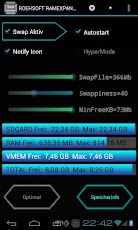
ROEHSOFT RAM-EXPANDER (SWAP RAM)


ROEHSOFT RAM Expander (SWAP)


Virt. Memory expansion up to 4.0 GB. Swapfile manager with Top Speed!
Please check your Device with 'MemoryInfo & Swapfile Check'
before you buy!
Up to 4.0 GB of memory per click! Android 1.6 - 4.1 with root access and external SD CARD! More memory means, the background service can not be stopped, and many programs will work correctly in the first place!
Languages: German and English

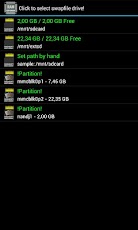
- use free external SD card as RAM memory (RAM SWAP / SWAP MEMORY)
- RAM expansion up to 4 GB swapfile
- The usual performance losses occur when swap sd cards not from class-8
- Widget for PNP swap (swap on / swap off)
- Detailed information storage and analysis
- Autostart function
- Swappiness kernel parameter set
- Use simple child's play
  (1 click optimization and automatic calculation)
- Support of all Android devices with Tung (root access and support Kernelswap)

Note: please try before you buy with our app "https://play.google.com/store/apps/details?id=com.roehsoft.meminfo" whether their device ROEHSOFT RAM Expander is compatible, thank you!

Should there still be problems, please contact me before they write such requests to the Review forum!

too little memory? equal no more! More games to play and run more applications at once! Moreover, you need only increase your memory. Lasting up to 4.0 GB! Memory increase, rather than using Task Killer or memory optimizer.

ROEHSOFT Ram Expander is more effective than any other tool of its kind Why? The First find out!

ROEHSOFT RAM expander widget support via the lightning-quick on and off of extended memory.
Dadruch can remove the SD card despite swapfile or provide via USB.

Also, you can raise important that control basic kernel parameters for the swapping itself to the effectiveness of extended memory.

In order to obtain root access you may continue to help this Linkk http://shortfuse.org/.

Particularly favorable entry phones often have little RAM, either here TaskKiller programs help further or you use a swapfile, which is sufficient memory available. ROEHSOFT Expander makes your device more easily. Many applications can now run simultaneously, and do not have to worry about your RAM.

Extended every Android device up to 4 GB of RAM, where it creates a swapfile on the SDCARD.

Maximum size of the swap file is architecture requires 4GB!
By setting the value of swappiness you can control the behavior of the kernel, the greater the value the more is being outsourced.

Please note! For damages that may result from the use of this software does not accept liability!


__________________________________________________________________________
DOWNLOAD


___________________________________________________________________________

Google Play by Chelpus for Android[PLAY STORE HACK]


Google Play by Chelpus for Android
Google Play is your one-stop shop for all your favorite entertainment. With over 450,000 apps, millions of songs and books, and thousands of movies, Google Play has something for everyone. Before you decide what you want, sample a free music or book, view app ratings, reviews, and screenshots, or watch a movie trailer. Google Play is a more connected, powerful experience.

The power of the cloud
How cool would it be if your entertainment was just available anywhere? Now it is. Buy a book on your Android phone and read it on the web at play.google.com. http://goo.gl/ovsCS Buy a new album on your Android tablet and listen to it on your desktop at work. Rent a movie online and watch it anywhere on your phone. That’s the beauty of the cloud. You can read, listen and watch all your favorite content anywhere you want. No software required and no wires or syncing needed, and the best part - Google Play cloud is free to use.

Share what you love
Discover, shop, enjoy, and share music, movies, books, and apps anytime, anywhere. When you discover an amazing song, a nail-biting thriller or memorable movie, the first thing you want to do is share it with your friends. On Google Play sharing your favorite entertainment just got easier. You can easily share posts about your favorite books, music, movies, games or apps to your circles on Google+, email, or text message in a single click.

Play with music
Find music you love
Google Play has hand-picked rising artists and great bands from your favorite genres. With music on Google Play, you’ll get personalized recommendations based on what you listen to most. And when you're not shopping for new music, rediscover your library by creating an Instant Mix.

Buy now, listen now, sync never
There are hundreds of free songs and millions more to buy on Google Play. The music you choose is automatically stored in your Google Play music library and instantly ready to play on your computer, Android phone or tablet.

Your music, anytime, anywhere
Access your Google Play music library anywhere, anytime - no syncing, no wires. Stream music instantly on the Web and listen on your Android phone or tablet with the Google Play Music app. Not online? No problem. Just pin your favorites to your mobile device for offline playback.

Organize your music
Keep all your music in one place. Anything you get on Google Play is automatically stored in your music library and you can even add up to 20,000 of your own songs for free. With your music saved online, you can stop worrying about storage space and start enjoying your collection anywhere.

Give your friends a free listen
Sharing is caring. When you buy music on Google Play, you can share a free listen with your friends on Google+. And you get a free listen when they share what they've bought with you. It's sharing, discovering and buying music made simple.

Play with books
Find new books
Discovering your favorite books and authors has never been easier. With Google Play, shop the world's largest selection of eBooks - from thrillers to comedy, cookbooks, bestselling fiction, and everything in between - find over 4 million books to choose from, including millions of free titles. With Google Play, your next great read is always at your fingertips.

Buy anytime, anywhere
Shop on the web or on your device, find the eBooks you love, and start reading instantly. Choose from millions of titles, browse new releases, sample books for free, and find the latest up-and-coming authors.

Share what you love
Sharing the books you love with family and friends is just a click away. With Google Play you can easily post your favorite reads to your circles on Google+, via email, or text message, right from the pages of your book, without skipping a beat.

Your books in the cloud
With Google Play enjoy seamless syncing and easy access across your devices. All your books are stored in the cloud, so your entire library is always with you, accessible from any connected device. And with offline reading, it’s never been simpler to dive into your favorite books when you are offline, out of range, or in the air. Start reading on your tablet, continue on the web, and finish that chapter on your phone. You’ll pick up the story just where you left off, always on the right page.

Customize your reading experience
Read your books any way you like them on Google Play. Easily switch between day or nighttime mode, view in landscape or portrait, choose your font, text size, line height, and customize to your heart’s content.

Play with apps and games
There is an app for everyone
Race to the finish line. Score a goal. Buy stocks. Read the news. Buy movie tickets. Update your status. Personalize your phone with live wallpapers, ringtones, and widgets. With over 450,000 Android apps and games your phone truly is your mobile entertainment system, organizer and portable computer all wrapped in one.

Find new apps and games
Looking for new apps? Check out our staff picks, hand-picked by our editorial team, browse apps by category or just search for them. You can also read reviews and ratings from other app and games users, and even add your own.

Get the latest updates
App developers are always updating their amazing apps with new features, tools and fixes. Google Play makes keeping your favorite apps up to date easy. Select ‘update automatically’ in your app settings and your app will always be updated. Or choose to update all your apps in one click. It’s that simple.

Get your favorite app, anywhere
Just found a new app on the web and can’t wait to try it? Install it from Google Play on the Web without ever touching your device. The app you install is now available on the device you choose - instantly.

Play with movies
Find the movies you love
Choose from an incredible selection of thousands of movies on Google Play including HD titles, new releases, award-winning films or your favorite classics. Whether you’re in the mood for comedy, drama, animation, action or a documentary, there’s a movie that’s right for you.

Watch it now or later
Rent movies and watch them instantly. Alternatively, download your movie for offline viewing and view it later using the Google Play Movies app or watch it directly on the Web.

Watch it anywhere
Watch Google Play movies anywhere -- your couch, your friends’ house or in-flight. When you rent a movie with Google Play you can watch it on your phone, tablet or any Web connected PC.

What's in this version: Modded by Great ChelpuS
1.Can use app protected with Google LVL (License Verification Library) without cracking.....
2.No need to patch with Lucky patcher any more.....
3.Can NOT download paid apps for FREE!.....
4.Disable auto updates for Google Play Store......
5.Not works with Billing and License Verification to Proxy.....
6.Removes device and country restrictions.....
7.Remove items from your "My Apps lists"

Instructions:
-Install and run GooglePlay.Installer v1.0.6 > click 'Install and reboot'
ROOT Required!
If you are not familiar with installing modded Google play versions DO NOT TRY THIS!


__________________________________________________
DOWNLOAD


______________________________________________________

Wednesday, 27 March 2013

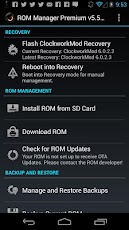
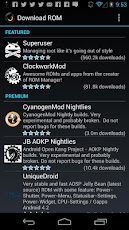
ROM MANAGER PREMIUM

ROM Manager (Premium)


Must have app for any root user. Make backups, flash ROMs, and own your device.

ROM Manager is THE MUST HAVE APP for any Android root user. (Over 3 million downloads and counting!)

* Flash your recovery to the latest and greatest ClockworkMod recovery.
* Manage your ROMs via a handy UI.
* Organize and perform backups and restores from within Android!
* Install ROMs from your SD card.
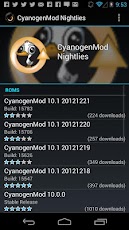
* Install your favorite ROMs over the air!

Premium Version:
* Premium ROMs
* Receive notifications for when your ROM is updated!
* Automatic backups
* Install from QR Code
* Web Connect
* Support

Do you prefer using only recovery manually? Check out the Touch Recovery in app purchase, for the most advanced recovery available!

Why does ROM Manager ask for account permissions?
Web Connect only needs to access your Google account to connect it to your google account. It can't access any private data or passwords.


________________________________________________________________________
DOWNLOAD


___________________________________

RAM MANAGER PRO

RAM Manager Pro


This application is the best solution for all who have problem with free memory, with multitasking, with slow swapping between applications or with slow performance of your device. I recommend to use this application to everybody who wants have better phone, because this application increases speed of your phone and other parameters which depend on RAM.

ROOT IS REQUIRED!!!

FEATURES:
★Balance - Option which makes your RAM to the best optimization, this option is for everyday using. Use this option when you want to have fast phone without lags.
★Balance (More free memory) - This option is nearly the same as Balance, but this option should be advantageous for users who have more RAM than 512 MB. This option gives you more free memory but a bit reduces multitasking.
★Balance (More multitasking) - This option is nearly the same as Balance, but this option should be advantageous for users who have less RAM than 512 MB. This option gives you more multitasking, but a bit reduces free memory.
★Hard Gaming - Option which stabilizes your RAM for playing hardest games. Use this option for games which lag on your phone. Your games will run smooth without lags.
★Hard Gaming (Less aggressive) - This option is similar to Hard Gaming but should be better for devices with RAM lesser than 512MB.
★Hard Multitasking - Option for users which are really hard working on their phones. You can have a lot of running apps and quickly switch between them without lags.
★Default (Samsung) - Default settings by Samsung, these settings are also used by LG, HTC, etc.
★Default (Nexus S) - Default settings which are used by all Google devices.
★Default - This option reverts your RAM to your default settings, which you had before you installed this app.
★Lock launcher in memory
★VM Heap size
★Swap file - Improves a performance but it may degrade your SD card life
★Memory info
★Free memory meter
★Widget
★Chosen option is automatically set on each reboot
★You can easily switch between all options without rebooting


This application optimizes the RAM of all android devices and gives you better performance. We tested and we're still testing the best RAM balance which makes your system as fast as possible. This application improves perfomance of your device in all directions. Switching between applications is very fast, your system will be smoother then ever before. You can fully use your multitasking and you still have as much memory as you need.


_____________________________________________________________
DOWNLOAD


_____________________________________________________________

Friday, 8 February 2013

Wednesday, 30 January 2013

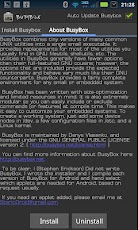
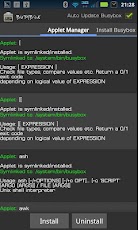
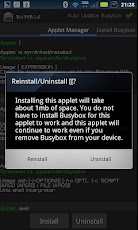
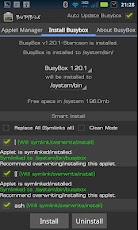
BUSY BOX PRO


_________________________________
Root required for this application!
The fastest, most trusted, and most popular BusyBox installer and uninstaller!
The only installer with a backup feature for safer installs and uninstalls!

Mentioned in the new XDA-Developers book "XDA Developers' Android Hacker's Toolkit: The Complete Guide to Rooting, ROMs and Theming"

Winner of best Utility Software award for Android via Handster.

This is the only installer that is ad free and requires no internet permission!
This installer has the smallest Busybox binaries available, right around 800kb unlike the other installers which are over a meg.

Pro version contains no ads or nag screens, Backup feature (for safer installs), uninstall feature, Advance Smart install feature, the ability to hand pick the applets you want, safety check for missing applets on start, and better overall support. The pro version will receive more frequent updates than the free version will.

The source for this application can be found here: https://code.google.com/p/busybox-android/

Featured on the BusyBox website at: http://busybox.net/products.html

The BusyBox source code can be found here: http://git.busybox.net/busybox/

A must have for any rooted phone! Almost EVERY rooted applications needs BusyBox to perform their magic, if you have a rooted phone then you need BusyBox.

Please note I did not write BusyBox! I wrote this installer and cross compiled BusyBox for Android. Please see the about menu option for more details or here: www.BusyBox.net

BusyBox is a software application that provides many standard Unix tools, much like the larger (but more capable) GNU Core Utilities. BusyBox is designed to be a small executable for use with the Linux kernel, which makes it ideal for use with embedded devices. It has been self-dubbed "The Swiss Army Knife of Embedded Linux".

Leave this installed if you always want to get the latest version of busybox!

tags: busybox, utility, terminal, emulator, root, stericson, adb, toolbox, rom, unlock, jailbreak, root, linux, unix, shell, script, tools, android, installer, busybox installer, bb, custom, installer, pro, android, android root

__________________________________________________________________________________________
DOWNLOAD


__________________________________________________________________________________________

Sunday, 27 January 2013

GLU UNLIMITED COIN HACK[UPDATED]


Glu Mobile is the largest freemium game provider for Android. They have someawesome games like Dragon Slayers, Contract Killer, Death Doom, Contract Killer Zombies, Blood & Glory etc.


Those are free to dowNload & play. But after playing some stages you will find it very difficult to complete the mission. Because you don't have the right equipments to finish the enemies. In that point you will have to buy Glu credits to Equip the perfect Sword or Armor! In that case you will be hopeless and cursing the games! Well! Dont do that! Because I have a perfect solution for you!

I will show you how to get Unlimited Glu credits! Just follow the process:

How to get Unlimited Glu Credits:

_________________________________________________________


1) Download this file  APPLICATON [UPDATED]

__________________________________________________


Important:
* Don't equip with the most powerful tools. The game will get boring because you will kill your enemies with one attack!!! Be careful!!! So, only take What you need to fight.    
* If you have enough money to buy Glu Credits. Please buy from their store.

Sunday, 20 January 2013

[How To] Reduce Lags on ANDROID Phones(Seeder)


           Yes its true now you can reduce lags on your android phones up to 90% and its 100% working,There is an App called SEEDER in the market with this App you can Reduce lags on your android smartphone upto 90%,Lags Reduces and improving performance of scrolling,gaming and using any Heavy Apps.ThisApplication is developed by XDA member lambgx02.
     
             Looks like this App is gonna be very useful for Armv6 phones users because there are so many lags on apps and games.so if you have a rooted phone then this app is a must have for you.


Developer Comment:
Many applications load significantly faster (particularly large ones like Facebook, Chrome, and YouTube), and task switching becomes effortless. Never again will you wait in frustration, as the home screen slowly redraws its icons and widgets after pressing the home button on a busy device.

Instructions:
Install SEDEER.APK
Open SEEDER  and Turn it On. Its Done.

Download Seeder APK From Here: (500 KB)
_________________________________________
DOWNLOAD


_____________________________________________________
If you like this App then you can support his development by purchasing his APP from GOOGLE PLAY